




⚠️Before you begin, note that using maps in EncounterPlus requires either a Premium subscription, or a one-time purchase to unlock Battle Map support.
What is an EncounterPlus map file?
An EncounterPlus map file packages a map’s image together with its wall, lighting, and grid data just for the EncounterPlus virtual tabletop platform.
Every Czepeku map comes with an EncounterPlus map file, available to download with a Premium subscription.
Step 1: Obtain your EncounterPlus file
You’ll need your EncounterPlus file before you begin.
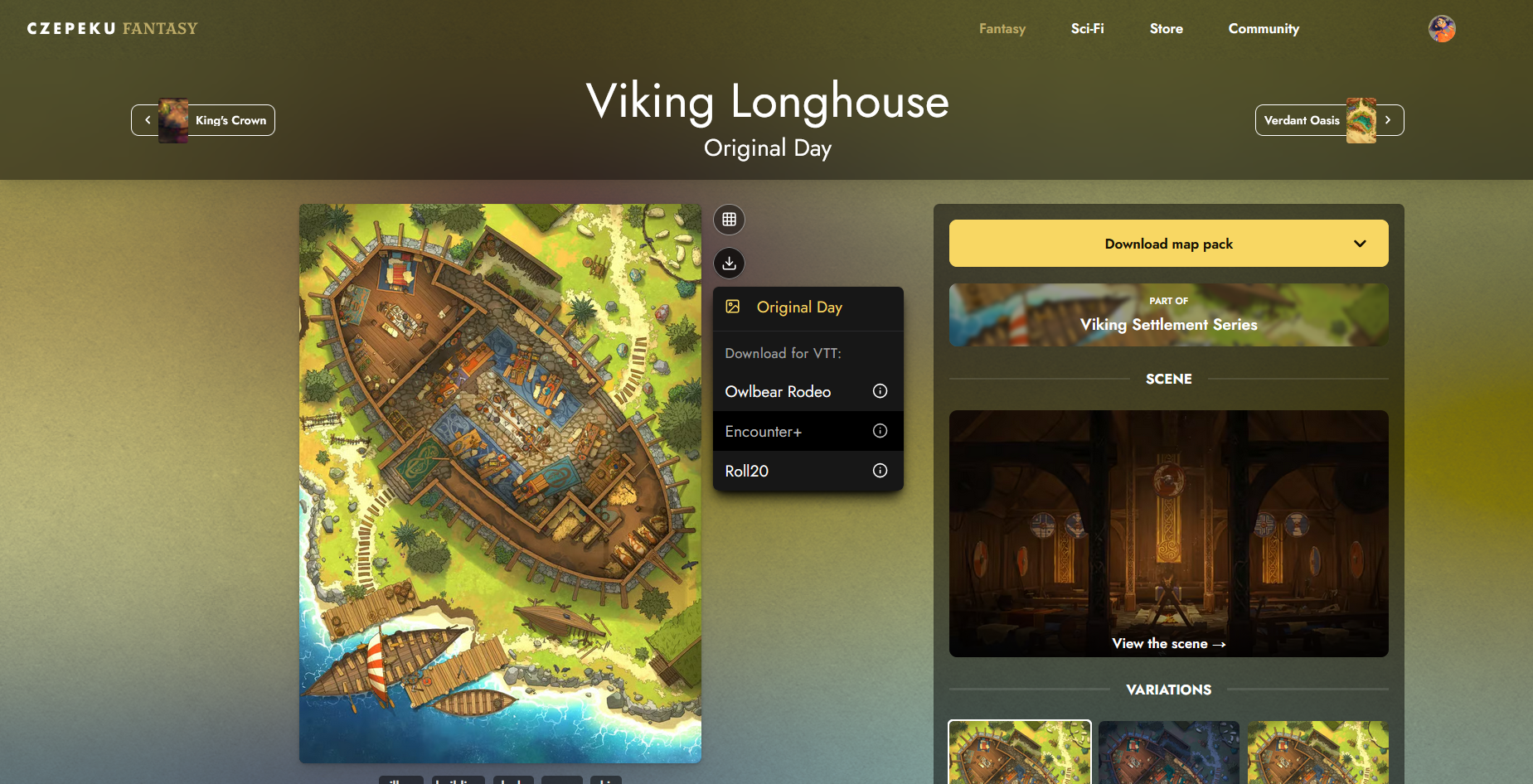
- On the map’s gallery page, find the variation you want to use.
- Click the round download icon next to the map image.
- Select EncounterPlus from the list of VTT options.
Step 2: Import the file into EncounterPlus
- Open your campaign in EncounterPlus
- Tap the cog wheel icon in the top left to open Settings.
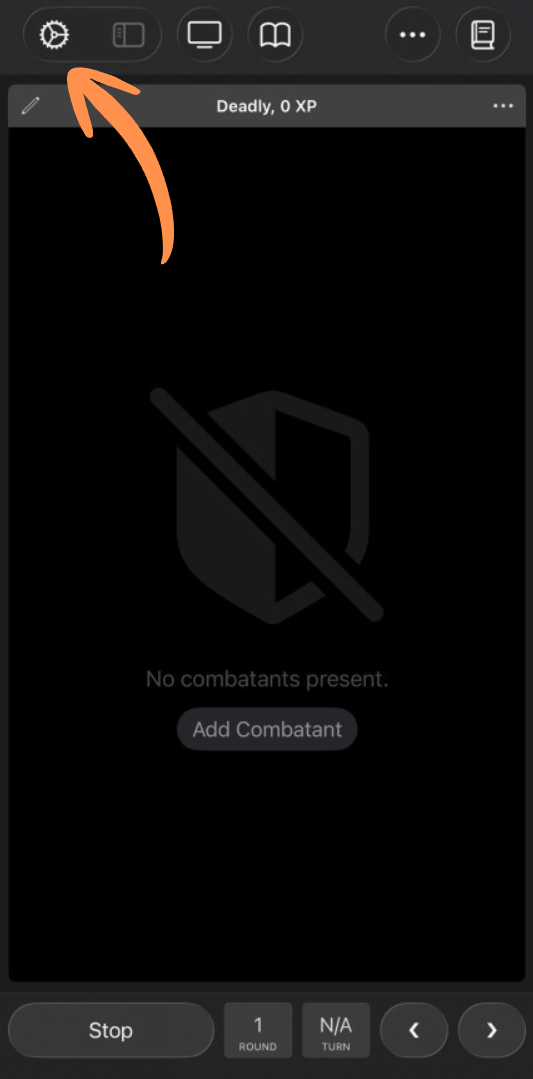
- Under the Content tab, select Import.
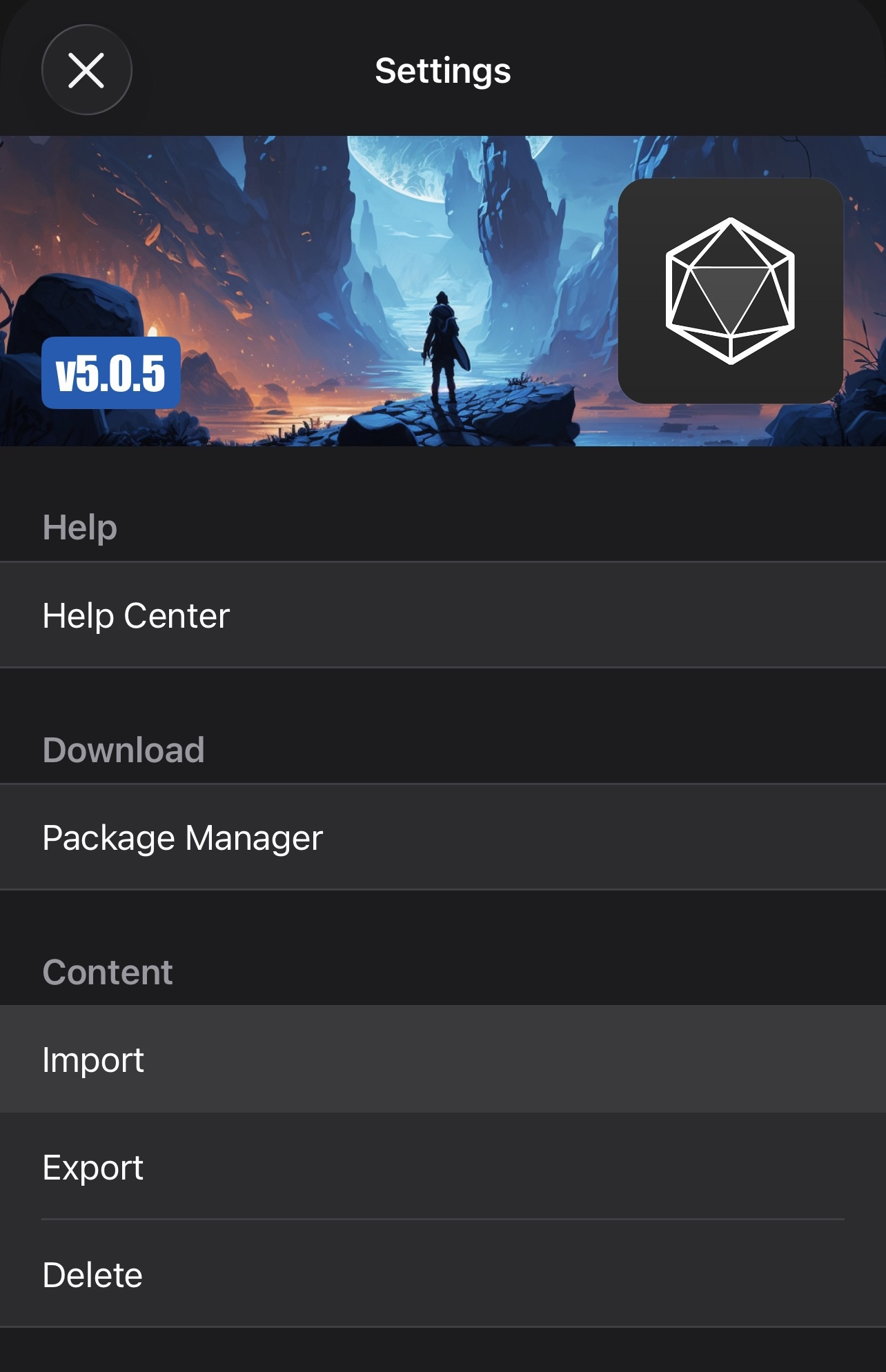
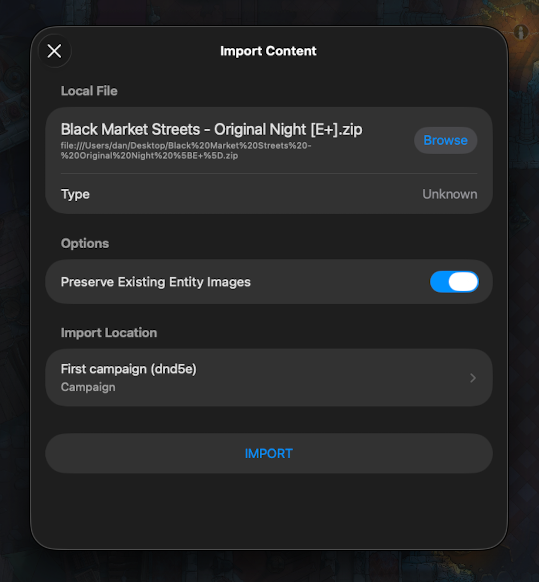
- Find and select your EncounterPlus file.
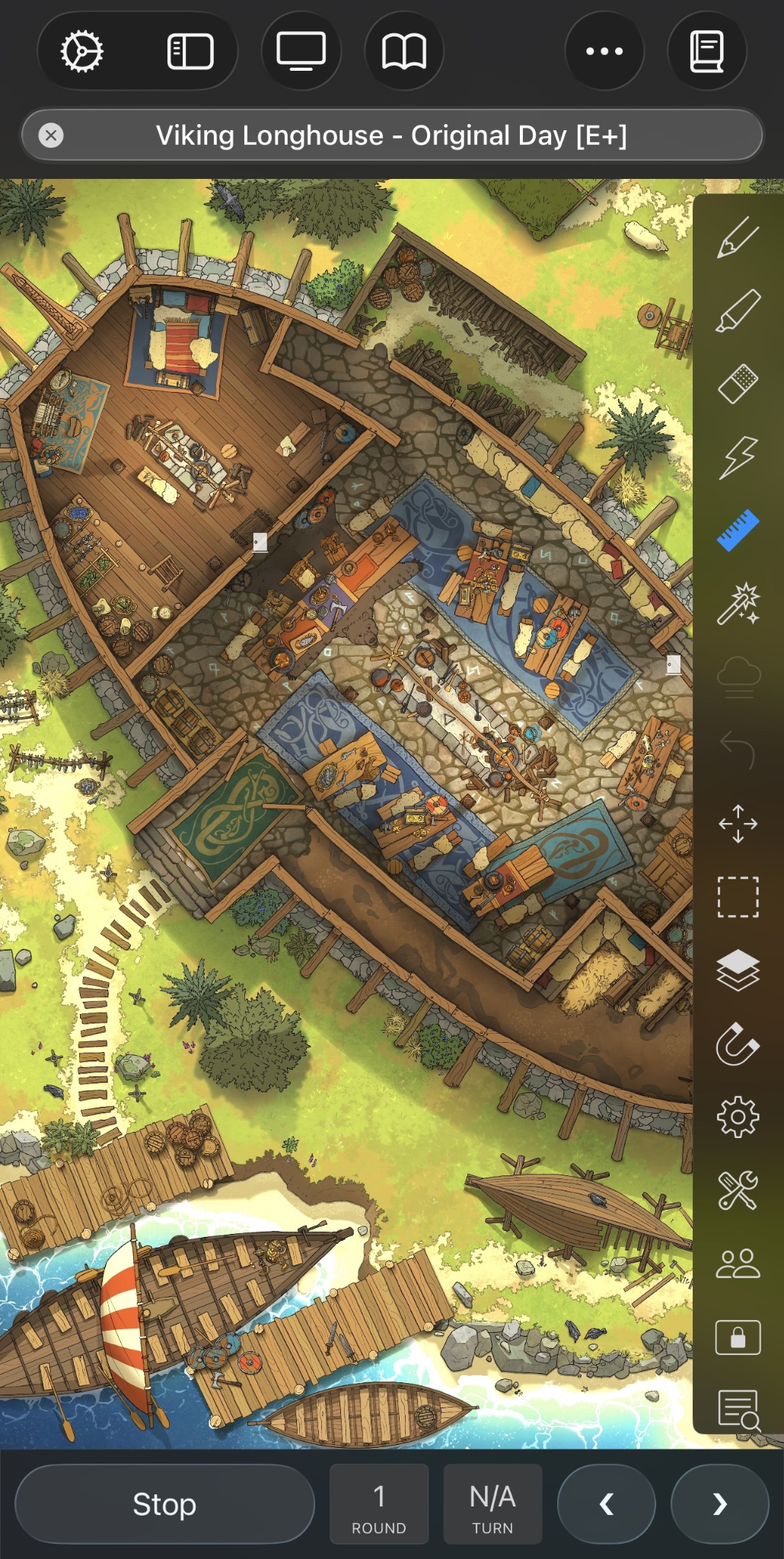
And that’s it! Your map is ready to go. Happy adventuring!
Something Didn’t Work?
Head to the #VTT-discussion channel on our Discord—our community is always happy to help with any questions. You can also reach us directly at support@czepeku.com!