



Take your TTRPG games to the next level with scenes to help your player visualize the danger as they enter a witch's hut, or battlemaps and tokens for when the witch comes home and inevitably confronts them. Czepeku has you covered with dozens of new tokens, maps, and scenes every month and a catalogue of thousands of illustrations for both your fantasy and sci-fi games. In this article, we'll explain how to link your Discord account to your Czepeku account.
Login to Your Czepeku Account
Open the sign-in page and ensure you are logged in to your Czepeku account. When you created your account, you had the choice to create one using your Discord account directly. If you opted to create an account with an email and a password, you can now link it to Discord from the account menu.
Connect Your Discord Account
Once logged in, click on your profile picture on the top right of the screen and select "Manage Account".
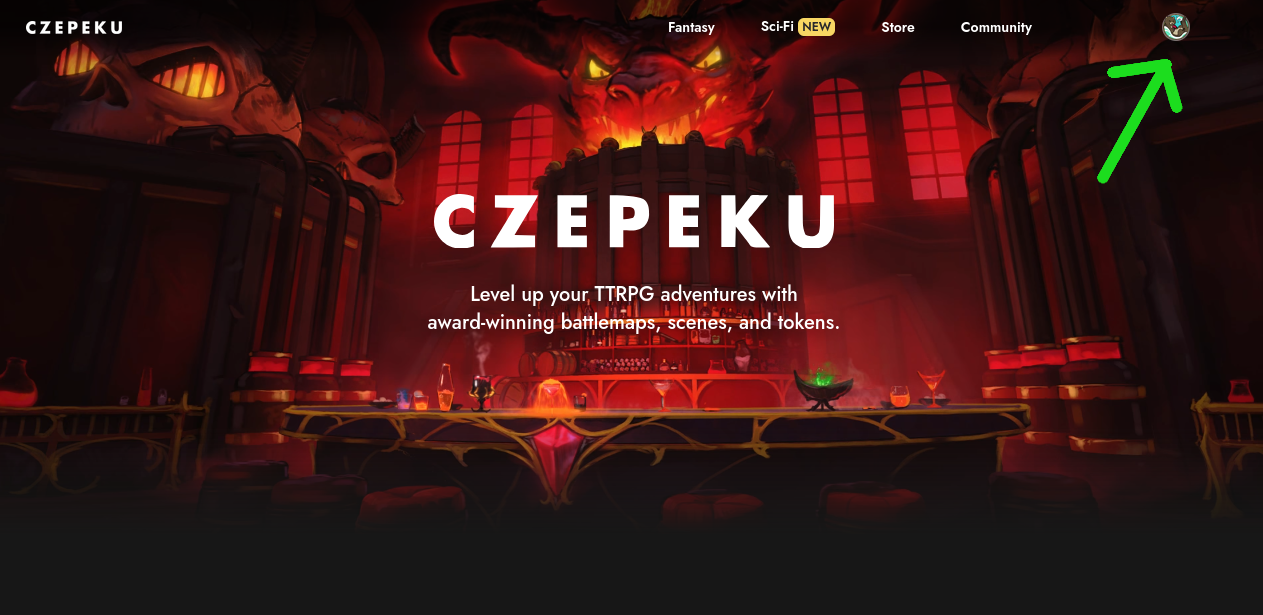
On the account page, click again on "Manage Account" in the middle of the right menu. You will see a "Connected accounts" section: click on "Connect account" and then on "Discord".
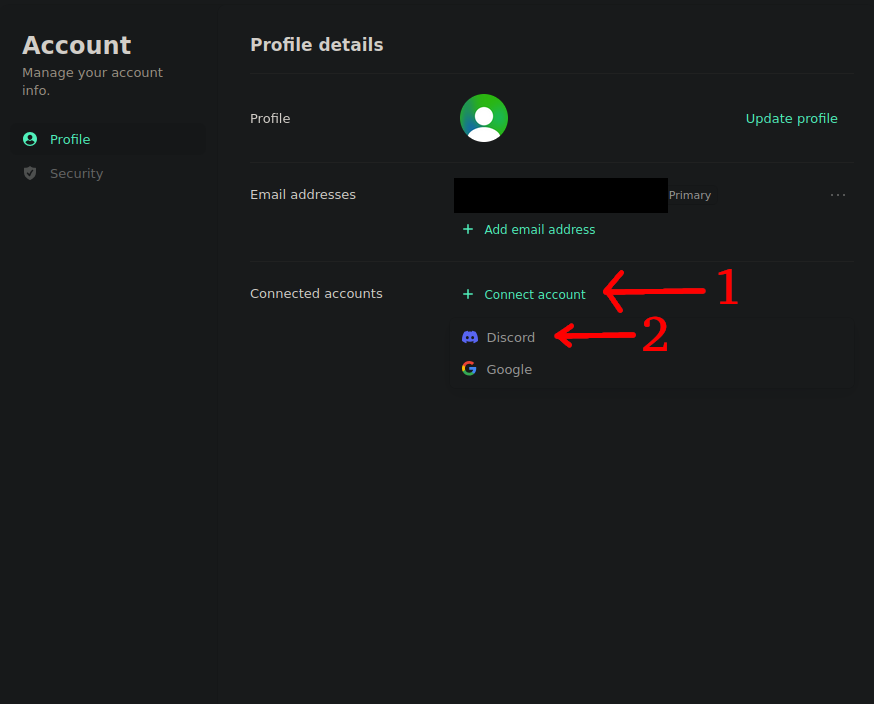
This will open a window confirming that you want to connect your Discord account to your Czepeku account. When confirmed, both your accounts will be linked and you will have access to the channels dedicated to tokens in the Czepeku Discord server. In the future, if you are logged into Discord, you won't need to log into czepeku.com. Instead, you will be able to log in with your Discord account directly.